


Telemundo Puerto Rico
4.42.40K Reviews
App Specs
- Version
- 8.9
- Updated On
- License
- Free
- Downloads
- 1,000,000+
- Developer
- NBCUniversal Media, LLC
- Categories
- News & Magazines
- Platform
- Android, iOS
Screenshots
 Analysis by AppCompare
I use Telemundo Puerto Rico as a quick local-news companion rather than as my only source for everything happening on the island. That distinction matters. The app is most useful when I want to see what is developing nearby, check weather information, or keep an eye on alerts without opening several unrelated services. Its focus is narrow in a good way: it is built around Puerto Rican news, local updates, alerts, and forecasts instead of trying to be a general news reader.
After spending time with it, my impression is that this is an app for people who value immediacy and local relevance over a huge range of topics. The interface is easier to approach when I already know what I need: a quick scan before leaving home, a local story during a developing situation, or a forecast check before planning an afternoon. It is free to use, aimed at an Everyone 10+ audience, and published by NBCUniversal Media, LLC. Its average rating is 4.4 from around 13 thousand ratings, which fits my overall experience: the app is dependable for its central purpose, although it is not designed to replace every news or weather tool.
How I use the app during a normal day
I make this routine work best by deciding in advance what would actually change my plans: a local development, an alert, or a weather concern. That simple filter helps me avoid treating every headline as equally urgent and gives each check a clear purpose. When nothing affects my schedule, I close the app and return later rather than turning local updates into a constant stream of interruptions.
A practical baseline workflow for local information
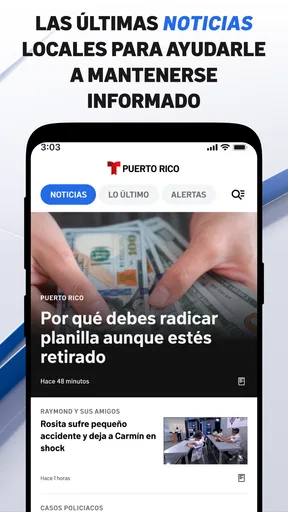
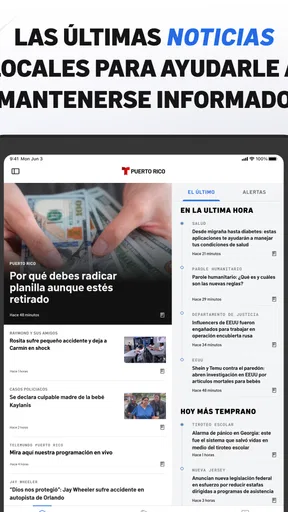
My usual routine starts with a short scan rather than a long reading session. I open the app, look at the leading local stories, and then decide whether any item deserves a deeper read. This keeps the experience focused. Instead of scrolling through national headlines that may have little effect on my day, I can begin with information connected to Puerto Rico and then choose where to spend my attention.
The local emphasis is especially useful in the morning. Before commuting, running errands, or arranging plans, I can check the latest news and weather in one place. I do not treat the forecast as a guarantee, but it gives me a practical starting point. If conditions look uncertain, I use that information to decide whether I need more time, different clothing, or a backup plan.
A realistic example is preparing for an outdoor appointment. I first check the local headlines for anything that could affect movement or public activity, then review the forecast, and finally return to the news section if an alert has appeared. This sequence is more efficient than opening a general search engine, a separate weather service, and several social feeds. The benefit is not that every detail is gathered into one perfect dashboard; it is that the first check is organized around local needs.
For breaking situations, I prefer to open the app directly instead of waiting to encounter a story while browsing casually. Local alerts are more useful when I make them part of a repeatable habit. I check them at sensible moments, such as before a trip or when weather conditions are changing, rather than refreshing continuously. That approach reduces noise and helps me notice meaningful changes.
Worth Reading Before You Choose

EA SPORTS FC Mobile 26 Is a Bigger Football Game, but It Takes Time

Flipboard Shows What News Apps Must Do Beyond the Feed

Switching to Android Auto Means Rethinking Your Driving Routine

Google Calendar Makes a Crowded Week Easier to Manage

Ludo King Makes the Most of the Minutes Between Plans

Baby Panda World Brings Quick Play to Modern Phones, but Its Game Library Feels Busy
What the app does better than a general news reader
General news apps are usually stronger when I want international coverage, business reporting, technology stories, or a broad selection of publishers. Telemundo Puerto Rico has a different advantage: it keeps the local lens in front of me. I do not have to repeatedly search for Puerto Rican coverage or filter a large national feed to find it.
That local concentration also changes how I read. I am less likely to open the app for entertainment browsing and more likely to use it with a question in mind: what is happening locally, is there an alert I should know about, and what does the weather look like? For readers who want a wide range of viewpoints and subjects, a full news aggregator will probably be a better primary tool. For someone living in Puerto Rico or following day-to-day events there, this app is more direct.
I also find it more useful than relying only on social media. Social feeds can surface a story quickly, but they often mix commentary, repetition, and unverified claims with actual reporting. The app gives me a more structured starting point. I still think important information should be checked against official announcements or other reliable sources, especially during emergencies, but the organized local feed is less chaotic than a fast-moving social timeline.
Who benefits most from this focused approach
The strongest audience is people who want Puerto Rican news close at hand: residents, family members keeping up with the island, travelers preparing for a visit, and anyone whose plans depend on local conditions. It is also a reasonable choice for readers who do not want to build a personal collection of separate news and weather apps.
I would be more cautious about recommending it as a complete information system for someone who needs deep analysis, extensive archives, or coverage across many countries. Its value comes from being local and immediate. If I wanted long-form international reporting, financial news, or a highly customizable multi-source feed, I would use another service alongside it.
Settings and habits worth checking first
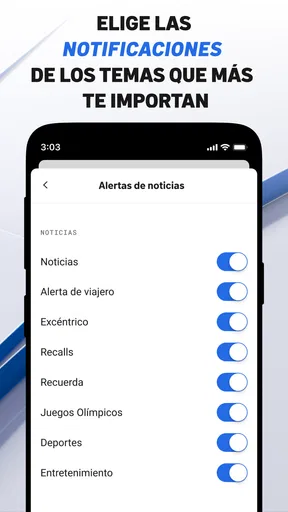
The first setting I pay attention to is notification behavior. Alerts can be valuable, but they work best when they match my actual needs. I review the app’s notification options and keep only the types of updates I am comfortable receiving. This is a small adjustment, yet it prevents the app from becoming distracting and makes important notices easier to recognize.
I also check whether the app is current before relying on it during a busy period. The current version is 8.9, and the application supports devices running at least OS 9. Keeping the app updated is a sensible maintenance step because news and alert tools depend on timely content delivery and a stable interface. I would also make sure the device itself has enough battery and a dependable connection before treating any mobile news app as part of an emergency routine.
Another useful habit is to distinguish between reading preferences and alert preferences. I may want to browse local stories often but receive only selected notifications. Those are different needs. Leaving every alert enabled simply because the app offers local information can create fatigue. I get more value when notifications are reserved for situations where I would genuinely change my plans.
I do not assume that an alert replaces official emergency communication. If a situation is serious, I look for instructions from the relevant authorities as well. Telemundo Puerto Rico can help me notice developing information, but responsible decision-making still requires attention to the source and the urgency of the situation.
Small workflow improvements that save time
One of my favorite patterns is the two-pass scan. On the first pass, I look only at headlines and alerts. On the second, I open the stories that affect my location, schedule, or family. This prevents me from spending several minutes reading an interesting item that has no practical effect while overlooking something more relevant lower in the feed.
I also use the app at transition points rather than randomly. A quick check before leaving home, another before a longer drive, and one later in the day is more useful to me than repeatedly opening it every few minutes. This makes the app part of a routine instead of a source of constant interruption.
When I find a story that may affect other people, I read enough context before sharing it. A headline can be useful for discovery but incomplete as an explanation. Taking that extra moment is particularly important with weather, public safety, or developing events, where details can change and a short headline may not communicate the full situation.
For travel planning, I use the app as an early check, not as my sole itinerary tool. I look at local news and the forecast before deciding when to move around, then confirm transportation, venue, or official service information separately. This is a practical trade-off: the app helps me understand the local context, while specialized services handle the exact logistics.
Where the experience has limits
The narrow focus that makes the app useful can also feel restrictive. Readers who expect a broad magazine-style catalog may find the selection less satisfying than a general news aggregator. The app is not where I would go for every subject, and I would not expect it to offer the same depth or variety as a service built around many publishers.
There is also a difference between receiving information quickly and understanding an event completely. Alerts and short updates help me notice what is happening, but they may not answer every question I have. For important matters, I often need to read the full report and then consult official sources. That extra step is not a flaw unique to this app; it is simply a limitation of using fast mobile updates for complicated events.
Weather information is helpful for everyday planning, but I avoid treating any forecast as perfectly precise. Conditions can vary by area, and a general forecast may not reflect what is happening exactly where I am. When the weather could affect safety, I use the app as one input and pay attention to current official guidance.
The app is also less suitable for someone who dislikes notifications or wants complete control over a highly personalized feed. Its strength is a ready-made local experience. If I wanted to combine many regions, sources, topics, and reading rules in one custom stream, I would choose a more configurable news reader and keep this app for Puerto Rican coverage.
How it compares with the usual alternatives
Compared with a social network, Telemundo Puerto Rico feels more purposeful. Social platforms may expose me to a story earlier, but they also bring comments, reposts, rumors, and unrelated material. This app gives me a cleaner first stop for local reporting and alerts. I still value social platforms for seeing public reactions, but I would not use them as my only way to understand a developing event.
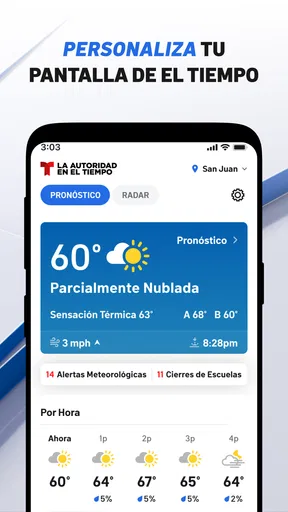
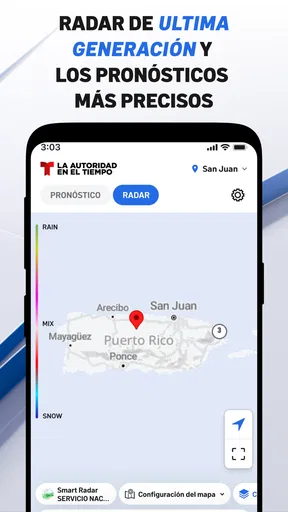
Compared with a dedicated weather app, the advantage here is convenience and context. A specialist weather service may offer more detailed meteorological views or tools, while this app places the forecast beside local news. I choose the latter when I want a quick decision-making check, such as whether to adjust plans after seeing both the local headlines and expected conditions.
Compared with a national news application, the local relevance is the deciding factor. A national service may provide more categories and broader reporting, but I would spend more time filtering it. Telemundo Puerto Rico is better when the question begins with Puerto Rico. The alternative is better when the question begins with the world, the economy, or a subject unrelated to the island.
Practical questions I would ask before installing
If I were wondering whether the app costs anything, the answer is straightforward: it is free. That makes it easy to try without committing to a subscription. I would still consider the value of the app in terms of attention rather than price. If I do not need Puerto Rican local coverage, a free installation will not make it more useful to me.
Someone using an older device may also want to check compatibility. The minimum requirement is OS 9, so devices below that level are not suitable. On a supported phone, I would keep enough storage and install system updates when practical, especially if I expect to use the app regularly for alerts and weather checks.
Readers may also ask whether it is appropriate for children. Its content rating is Everyone 10+, so I would treat it as a general news app with material that may be more suitable for older children and adults than for very young users. News can include serious or unsettling subjects, so household judgment still matters.
Another common question is whether it can replace every other information source. In my experience, no. It is a strong local starting point, but I pair it with official notices for urgent instructions and with broader sources when I need national or international context. That combination is more reliable than expecting one app to cover every purpose.
Finally, I would ask whether the app is established enough to justify trying. It has more than a million installs and has been available since Apr 21, 2015, which gives it a substantial presence among local-news apps. Those figures do not guarantee that every reader will like the interface, but they do suggest that it is not an obscure experiment that I would install without knowing what to expect.
My verdict after building a repeatable routine
My best experience with Telemundo Puerto Rico comes from treating it as a focused local dashboard. I open it with a purpose, scan headlines and alerts first, check the forecast when planning requires it, and read beyond the headline before acting on important information. That routine makes the app feel faster and more useful than simply browsing without a plan.
The key trade-off is focus versus breadth. The local focus saves time for Puerto Rican coverage, but it also means I need another source for subjects outside that scope. Experienced users will get the most from sensible notification choices, scheduled check-ins, and a clear distinction between quick awareness and official confirmation.
For me, this is a worthwhile free news-and-magazines app when local Puerto Rico information is part of everyday life. Its 4.4 average and roughly 13 thousand ratings reflect a solid reception, and I understand why: it brings news, alerts, and weather into a practical local workflow. I would skip it if I wanted a global news reader, advanced weather analysis, or a deeply customizable multi-source system. Otherwise, Telemundo Puerto Rico is an easy recommendation as a convenient first check for what may affect the day ahead.
Pros
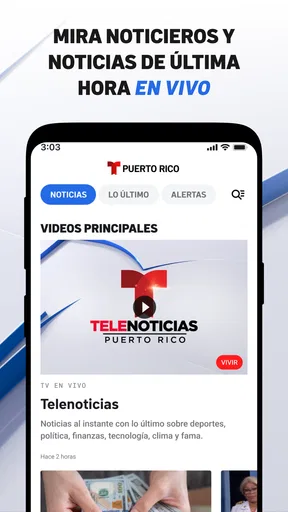
- Live access to Telemundo Puerto Rico news and local programming
- Useful coverage of Puerto Rico weather
- traffic
- and community events
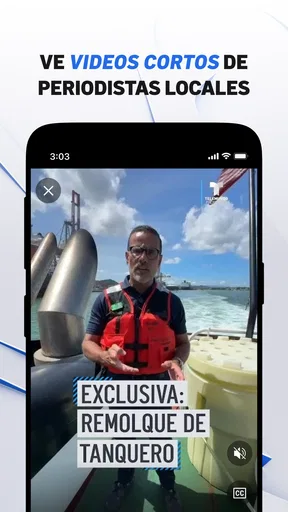
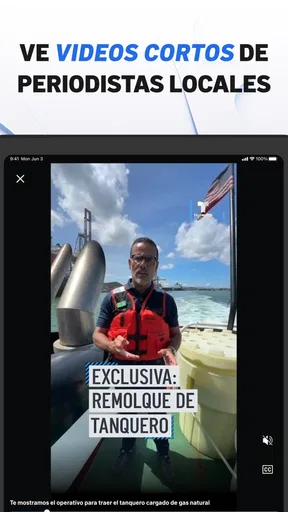
- Video clips make it easy to catch up on missed broadcasts
- Push notifications can alert users to important local stories
- Simple interface helps users browse news by category
Cons
- Some videos may be restricted by location or require a TV provider
- Advertising can interrupt videos and make browsing feel slower
- Content quality and update frequency may vary by section
- The app may use significant mobile data when streaming video
- Certain features may depend on a stable internet connection
FAQs for Telemundo Puerto Rico
What is Telemundo Puerto Rico, and what can I watch in the app?
Telemundo Puerto Rico is a streaming and news application focused on Puerto Rican audiences. After installing it, users can typically access local news, live updates, weather information, entertainment coverage, clips, and selected Telemundo programming. The exact catalog may change depending on licensing agreements, broadcast schedules, your location, and whether you are using the Android or iOS version.
Is Telemundo Puerto Rico free to download and use?
The application is generally free to download, allowing users to browse news, articles, videos, and other available content without paying an installation fee. However, some live television streams or full episodes may require a participating television provider, account, or supported subscription. Mobile data charges can also apply, so using Wi-Fi is recommended when watching video for extended periods.
Can I watch Telemundo Puerto Rico live through the application?
Live streaming availability depends on the specific broadcast, your location, and the authentication requirements shown in the app. Some local news or special events may be available directly, while other programming can require verification through a cable, satellite, or streaming television provider. Before downloading, check the current app listing and in-app instructions because access policies may change.
Does the app provide Puerto Rico news, weather, and emergency information?
One of the app’s main advantages is its focus on information relevant to Puerto Rico. Users can generally find local news reports, weather forecasts, traffic or community updates, and coverage of important regional events. During severe weather or breaking news, notifications may be especially useful, although availability and alert timing can depend on your notification settings, internet connection, and the newsroom’s publishing schedule.
What permissions and device requirements should I consider before installing it?
Telemundo Puerto Rico requires a compatible Android or iOS device and a reliable internet connection for video, live streams, and frequently updated content. Depending on the features you enable, it may request permission for notifications, location-related services, or access needed to improve regional content delivery. Review the store’s current privacy details and permissions, and disable optional notifications if you prefer fewer alerts.


